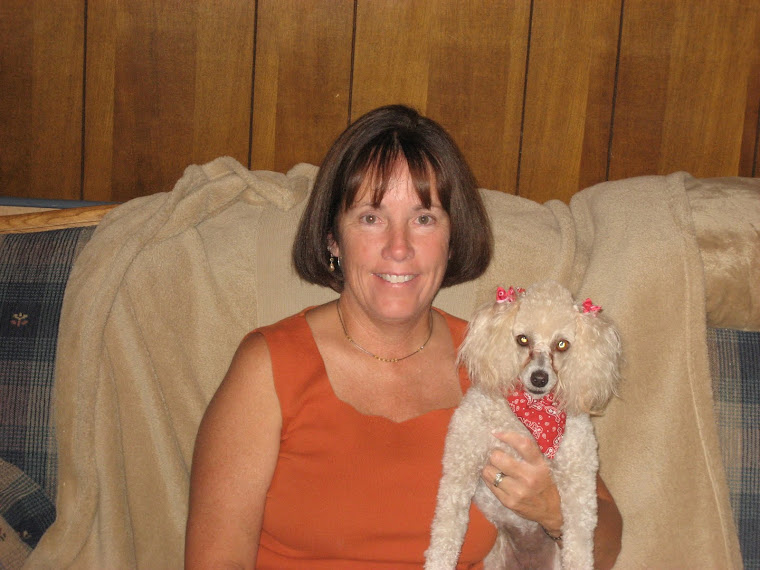
I have to end this study with a big "Yahoo"! I am so happy with the time I spent this summer on technology. I was not sure what I was getting into when I registered for the two classes that I took. I definitely felt overwhelmed when I started out, considered quitting, but am so proud of myself for sticking with it and completing both of my technology classes. I know that technology is one of my areas of weakness. I try to take as many technology classes as I possibly can, when I can.
I feel this class was very beneficial for two reasons: First, I had to work through the assignments on my own. I spent many hours doing it, but I was forced to push through and figure things out on my own. Well, mostly on my own. I always had my Michelle safety net, which I have been grateful for. Secondly, this class exposed me to many resources for use in the classroom and many uses for these resources. At my technology level, I had no idea as to how I could use technology in my classroom. Nancy G. said that often time technology is used on the student project level only, this class and the other one I took showed me how I can incorporate technology to make my professional life easier through on-line resources and learning communities.
What did I like? I enjoyed it all. I like blogging. I enjoy sharing ideas with others and having an on-line community to talk to. I have met and shared ideas with many people that I would normally not because we are on different campuses. I think a wiki will be very beneficial to incorporate on my campus for sharing ideas and accomplishing group projects. I think this is one of my favorite discoveries. I do not think I had a least favorite discovery.
I am very excited about atomic learning. I did not know anything about that resource. It will be very beneficial to help me learn how to accomplish some of my technology skills. I have learned alot using the tutorials. I have not heard about atomic learning until this summer. I am glad to have this resource available to me.
I think the one word I would use to describe this summer of technology discovery is "starstruck". Hopefully, this word will suffice as a word. I have been in a state of awe and amazement this entire 9 - 10 weeks. I have learned about so many resources and technolgy tools available to use in my classroom that I never knew existed.
I would not change anything. The time frame was long enough. The deadline was easily met. I think the face to face sessions were an important part of this class. I like how they were offered throughout the class. It gave me the opportunity to get help without having to wait too long. I also appreciate the availability of Michelle's support. I have truly learned so much and hope to incorporate many ideas immediately. THANK YOU!!!!!
Monday, July 26, 2010

Week Eight: All Atomic
I tok my atomic test and did ok on it. I also took the 21st century learner test. I thought that test was quite difficult. I especially did not like the multi-choice questions. I had flashbacks of state certification exams. I found the test to be quite taxing. I also found that I have a lot to learn still about the nature of the 21st century learner and skills necessary for me to master as an educator in the 21st century.
I liked the projects titled "Water Works" and "Breakfast". Both of these projects are in the elementary grade levels and quite relevant for our world. Many of our students are over weight and should become aware of the calorie intake of diferent foods and how we can make wiser, healthier food choices. This project could also be adapted to incorporate exercise and how exercise can positively affect our overall health, especially in conjunction with wise food choices.
"Water Works" is also a relevant project for our world. Students have been studying recycling, reusing, and reducing for years. This project shows real-life reasons for becoming better world stewards. My classroom instruction has fallen short of this in the past. I would have to study this more to adapt it to the younger students that I have always taught; however, I think the time spent doing this will be well worth it. I would like to see what I can do with these lessons and share with the teachers I have previously worked with in the lower primary grades.
Personally, for my own use, I do not teach in a regular classroom. The subjects I teach are determined by the teachers I work with. I may not personally be able to use these two ideas in my classroom, but will share with my peers. I think the biggest difficulty with these projects will be getting the other teachers to view these projects and helping them with gaining the tools necessary for implementation. I hope to encourage a monthly tech afternoon on our campus. Hopefully, with this, teachers can be encouraged to become 21st century teachers and also gain the technology skills they need to incorporate these lessons into their classrooms. Another difficulty with these lessons is getting the necessary technology into the classrooms.
I liked the projects titled "Water Works" and "Breakfast". Both of these projects are in the elementary grade levels and quite relevant for our world. Many of our students are over weight and should become aware of the calorie intake of diferent foods and how we can make wiser, healthier food choices. This project could also be adapted to incorporate exercise and how exercise can positively affect our overall health, especially in conjunction with wise food choices.
"Water Works" is also a relevant project for our world. Students have been studying recycling, reusing, and reducing for years. This project shows real-life reasons for becoming better world stewards. My classroom instruction has fallen short of this in the past. I would have to study this more to adapt it to the younger students that I have always taught; however, I think the time spent doing this will be well worth it. I would like to see what I can do with these lessons and share with the teachers I have previously worked with in the lower primary grades.
Personally, for my own use, I do not teach in a regular classroom. The subjects I teach are determined by the teachers I work with. I may not personally be able to use these two ideas in my classroom, but will share with my peers. I think the biggest difficulty with these projects will be getting the other teachers to view these projects and helping them with gaining the tools necessary for implementation. I hope to encourage a monthly tech afternoon on our campus. Hopefully, with this, teachers can be encouraged to become 21st century teachers and also gain the technology skills they need to incorporate these lessons into their classrooms. Another difficulty with these lessons is getting the necessary technology into the classrooms.
Friday, July 23, 2010
Week Seven: Projects for the Classroom
I enjoyed visiting these sights. They were very interesting and quite educational for me. I have not been aware of all of the possibilities available to me and how I could use them in my classroom.
Think: A great resource for lesson plans. I also visited the area for parents. We have a couple of events each year that promote the school-home connection. I found some useful information for communicating information to parents. My school is a low socio-economic campus and our parents need ideas and resources to help their children succeed in school.
Kid Pix 4: Wow! I have not used this in quite a while. It sure has changed. I loved the ideas and templates made available for classrrom use. I also like the changes in the text formatting. I like the change and enjoy making the differences in my text. I also like the slideshow template. I have never used this, but can think of many opportunities to use this in the classroom.
Wordle: I had fun with this. I think the kids will have fun creating a collage about themselves. This could be a fun activity for the beginning of the school. The kids could create a collage using words that describe activities they like to do, using words to describe their personalities, or they could just make a collage using only their names.
TerraClues: This was very interesting! I really enjoyed the scavenger hunts. I had a little trouble with some of the hunts, but it was fun moving around the globe finding places. This would be a wonderful resource for a social studies class. A teacher could make a hunt as a review of topics studied in class. You could make a hunt to review state capitals, etc. I think the kids would love this. You could review the continents and states. The possibilities are limitless.
I am not responsible for designing lessons in the computer lab. We have an instructional aide that designs all lessons for the children when they come to the lab. I have not utilized the "computer on wheels". I was not aware of the many uses for technology in the classroom until this summer. I have not been very technologically attuned in the past and hope to integrate technology now that I have spent the summer sailing the seas of technology. I have been collecting ideas for integration as the summer has progressed.
I will share my newly gained knowledge with my fellow teachers. I think many are as ignorant as I was. I believe they will enjoy the "Terra Clues" and "Think" resources. I plan to share these sources and also instruct them in the use of Atomic Learning in gaining the tools necessary to implement these into their classrooms.
I plan to use "Think" this year. I hope to find many resources their to communicate with the parents of my students in my pull-out class. Also, I hope to find resources such as manipulatives and lesson plans to improve my instruction this year.
Think: A great resource for lesson plans. I also visited the area for parents. We have a couple of events each year that promote the school-home connection. I found some useful information for communicating information to parents. My school is a low socio-economic campus and our parents need ideas and resources to help their children succeed in school.
Kid Pix 4: Wow! I have not used this in quite a while. It sure has changed. I loved the ideas and templates made available for classrrom use. I also like the changes in the text formatting. I like the change and enjoy making the differences in my text. I also like the slideshow template. I have never used this, but can think of many opportunities to use this in the classroom.
Wordle: I had fun with this. I think the kids will have fun creating a collage about themselves. This could be a fun activity for the beginning of the school. The kids could create a collage using words that describe activities they like to do, using words to describe their personalities, or they could just make a collage using only their names.
TerraClues: This was very interesting! I really enjoyed the scavenger hunts. I had a little trouble with some of the hunts, but it was fun moving around the globe finding places. This would be a wonderful resource for a social studies class. A teacher could make a hunt as a review of topics studied in class. You could make a hunt to review state capitals, etc. I think the kids would love this. You could review the continents and states. The possibilities are limitless.
I am not responsible for designing lessons in the computer lab. We have an instructional aide that designs all lessons for the children when they come to the lab. I have not utilized the "computer on wheels". I was not aware of the many uses for technology in the classroom until this summer. I have not been very technologically attuned in the past and hope to integrate technology now that I have spent the summer sailing the seas of technology. I have been collecting ideas for integration as the summer has progressed.
I will share my newly gained knowledge with my fellow teachers. I think many are as ignorant as I was. I believe they will enjoy the "Terra Clues" and "Think" resources. I plan to share these sources and also instruct them in the use of Atomic Learning in gaining the tools necessary to implement these into their classrooms.
I plan to use "Think" this year. I hope to find many resources their to communicate with the parents of my students in my pull-out class. Also, I hope to find resources such as manipulatives and lesson plans to improve my instruction this year.
Tuesday, July 13, 2010
Week Six: Classroom Aids
Wow! This is great! I love learning about these resources. I am constantly creating manipulative activities for my students; however, doing this is very time consuming and my activities are not always as nice looking as I would like for them to be. The Math Manipulatives is a great resource. I need to play some more with this site, but it looks like I will definitely use the available site in my math tutorial classes. I like the activities on addition and subtraction using base ten blocks and regrouping. I know I will be able to use this with my students. I love this!
I also really liked the Google Lit Trips. I think the kids would really enjoy doing a lesson in conjunction with Google Earth. I will share this resource with my fellow teachers. I love reading books and integrating them into Science and Social Studies. This resource will definitely improve my lesson integration if and when my job changes. I really enjoyed going through the tutorial videos to learn more about this site.
I do not know how knowledgeable my fellow teachers are in the use of technology, but I will definitely make sure they know about these classroom aids.
I also really liked the Google Lit Trips. I think the kids would really enjoy doing a lesson in conjunction with Google Earth. I will share this resource with my fellow teachers. I love reading books and integrating them into Science and Social Studies. This resource will definitely improve my lesson integration if and when my job changes. I really enjoyed going through the tutorial videos to learn more about this site.
I do not know how knowledgeable my fellow teachers are in the use of technology, but I will definitely make sure they know about these classroom aids.
Chapter Eleven: Generating and Testing Hypotheses
In my classroom experiences with the younger children, we make predictions prior to studying a new topic or prior to doing a science experiment. The children love making predictions. This is an excellent way to increase student mastery and retention of knowledge. It is also a very stimulating and interesting exercise in the classroom for students. It is fun for me, as a teacher and adult, to listen to the predictions of my young students. It is fun to listen to their reasoning and how they came to the prediction they made. I will definitely continue the practice of predicting and making hypotheses.
I do not visualize me using the spreadsheets as illustrated in the book, but I do like the resources and examples. I can share these with my colleagues.
I do not visualize me using the spreadsheets as illustrated in the book, but I do like the resources and examples. I can share these with my colleagues.
Chapter Ten: Homework and Practice
I found a statement in this chapter that I found very interesting. I probably knew it at one time, but have not stopped to think about it. I know to break a habit of doing something, such as going to the old place where your trash can used to be after moving it. It takes a long time to stop doing that and going to the new place first.
The statement in the book that stated, "Typically, students need about 24 practice sessions with a skill in order to achieve 80% competancy." I guess I never thought about how much practice a student can need to master a skill. I guess this statement relates to the average student. It seems, in K and First grade classrooms, that we are introducing a new skill every week. Those students that are average to below average in ability do not get 24 practice sessions in before a new skill is taught. No wonder they have so much trouble! Often times, the new skill builds on the previous skill. Homework is assigned to offer the practice sessions, but often, the same children receive no help at home. Classroom teachers must then offer the extra opportunities in the classroom. This can prove to be a difficult task to accomplish. Yet, somehow it must!
I also learned about the Search option in Word. I have never used it and did not know that is was available to use while still in Word. I will definitely use this when writing and researching. I also like the option that it is more suited to the task at hand than other search options. This new information will definitely be beneficial.
The statement in the book that stated, "Typically, students need about 24 practice sessions with a skill in order to achieve 80% competancy." I guess I never thought about how much practice a student can need to master a skill. I guess this statement relates to the average student. It seems, in K and First grade classrooms, that we are introducing a new skill every week. Those students that are average to below average in ability do not get 24 practice sessions in before a new skill is taught. No wonder they have so much trouble! Often times, the new skill builds on the previous skill. Homework is assigned to offer the practice sessions, but often, the same children receive no help at home. Classroom teachers must then offer the extra opportunities in the classroom. This can prove to be a difficult task to accomplish. Yet, somehow it must!
I also learned about the Search option in Word. I have never used it and did not know that is was available to use while still in Word. I will definitely use this when writing and researching. I also like the option that it is more suited to the task at hand than other search options. This new information will definitely be beneficial.
Monday, July 12, 2010
Chapter Nine: Similarities and Differences
This was an interesting chapter. Sorting and classifying are very important skills for kids to learn. In kindergarten/first grade we sort in all subject areas. In reading we sort words by letters, sounds, syllables, and number of letters. In math we sort by shape, size, and color.In science we sort many different ways living--non-living, hot--cold, and animal--plant. We play oral games to guess sorting rules a student used to sort their pictures, words, etc.
Normally, I use labels on paper and/or pocket charts to sort, venn diagrams, and manipulatives in baggies to sort various items. The children enjoy these activities; however, I think the older children I now teach will enjoy doing similar activites using technology. I look forward to using Inspiration/Kidspiration to make Venn Diagrams to sort. I can integrate this into my math tutorials. We can oractuce comparing and contrasting skills in Math. How are addition and multiplication alike? Different? How are triangles, squares, alike? Different? The categories are endless.
I use excel for my own personal and professional uses, but have not used in in my actual classes. I use excel to balance checking accounts. I use excel to create tables and graphs to show my student progress -- show growth, how they perform on benchmarks, district assessments, and TAKS tests. I need this technology to show data to evaluate my program.
This was another interesting chapter.
Normally, I use labels on paper and/or pocket charts to sort, venn diagrams, and manipulatives in baggies to sort various items. The children enjoy these activities; however, I think the older children I now teach will enjoy doing similar activites using technology. I look forward to using Inspiration/Kidspiration to make Venn Diagrams to sort. I can integrate this into my math tutorials. We can oractuce comparing and contrasting skills in Math. How are addition and multiplication alike? Different? How are triangles, squares, alike? Different? The categories are endless.
I use excel for my own personal and professional uses, but have not used in in my actual classes. I use excel to balance checking accounts. I use excel to create tables and graphs to show my student progress -- show growth, how they perform on benchmarks, district assessments, and TAKS tests. I need this technology to show data to evaluate my program.
This was another interesting chapter.
Subscribe to:
Comments (Atom)