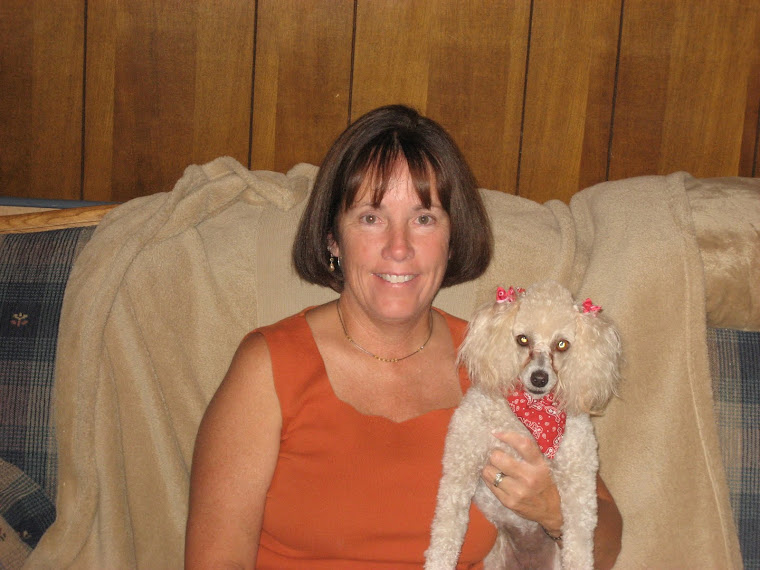
I have to end this study with a big "Yahoo"! I am so happy with the time I spent this summer on technology. I was not sure what I was getting into when I registered for the two classes that I took. I definitely felt overwhelmed when I started out, considered quitting, but am so proud of myself for sticking with it and completing both of my technology classes. I know that technology is one of my areas of weakness. I try to take as many technology classes as I possibly can, when I can.
I feel this class was very beneficial for two reasons: First, I had to work through the assignments on my own. I spent many hours doing it, but I was forced to push through and figure things out on my own. Well, mostly on my own. I always had my Michelle safety net, which I have been grateful for. Secondly, this class exposed me to many resources for use in the classroom and many uses for these resources. At my technology level, I had no idea as to how I could use technology in my classroom. Nancy G. said that often time technology is used on the student project level only, this class and the other one I took showed me how I can incorporate technology to make my professional life easier through on-line resources and learning communities.
What did I like? I enjoyed it all. I like blogging. I enjoy sharing ideas with others and having an on-line community to talk to. I have met and shared ideas with many people that I would normally not because we are on different campuses. I think a wiki will be very beneficial to incorporate on my campus for sharing ideas and accomplishing group projects. I think this is one of my favorite discoveries. I do not think I had a least favorite discovery.
I am very excited about atomic learning. I did not know anything about that resource. It will be very beneficial to help me learn how to accomplish some of my technology skills. I have learned alot using the tutorials. I have not heard about atomic learning until this summer. I am glad to have this resource available to me.
I think the one word I would use to describe this summer of technology discovery is "starstruck". Hopefully, this word will suffice as a word. I have been in a state of awe and amazement this entire 9 - 10 weeks. I have learned about so many resources and technolgy tools available to use in my classroom that I never knew existed.
I would not change anything. The time frame was long enough. The deadline was easily met. I think the face to face sessions were an important part of this class. I like how they were offered throughout the class. It gave me the opportunity to get help without having to wait too long. I also appreciate the availability of Michelle's support. I have truly learned so much and hope to incorporate many ideas immediately. THANK YOU!!!!!
Monday, July 26, 2010

Week Eight: All Atomic
I tok my atomic test and did ok on it. I also took the 21st century learner test. I thought that test was quite difficult. I especially did not like the multi-choice questions. I had flashbacks of state certification exams. I found the test to be quite taxing. I also found that I have a lot to learn still about the nature of the 21st century learner and skills necessary for me to master as an educator in the 21st century.
I liked the projects titled "Water Works" and "Breakfast". Both of these projects are in the elementary grade levels and quite relevant for our world. Many of our students are over weight and should become aware of the calorie intake of diferent foods and how we can make wiser, healthier food choices. This project could also be adapted to incorporate exercise and how exercise can positively affect our overall health, especially in conjunction with wise food choices.
"Water Works" is also a relevant project for our world. Students have been studying recycling, reusing, and reducing for years. This project shows real-life reasons for becoming better world stewards. My classroom instruction has fallen short of this in the past. I would have to study this more to adapt it to the younger students that I have always taught; however, I think the time spent doing this will be well worth it. I would like to see what I can do with these lessons and share with the teachers I have previously worked with in the lower primary grades.
Personally, for my own use, I do not teach in a regular classroom. The subjects I teach are determined by the teachers I work with. I may not personally be able to use these two ideas in my classroom, but will share with my peers. I think the biggest difficulty with these projects will be getting the other teachers to view these projects and helping them with gaining the tools necessary for implementation. I hope to encourage a monthly tech afternoon on our campus. Hopefully, with this, teachers can be encouraged to become 21st century teachers and also gain the technology skills they need to incorporate these lessons into their classrooms. Another difficulty with these lessons is getting the necessary technology into the classrooms.
I liked the projects titled "Water Works" and "Breakfast". Both of these projects are in the elementary grade levels and quite relevant for our world. Many of our students are over weight and should become aware of the calorie intake of diferent foods and how we can make wiser, healthier food choices. This project could also be adapted to incorporate exercise and how exercise can positively affect our overall health, especially in conjunction with wise food choices.
"Water Works" is also a relevant project for our world. Students have been studying recycling, reusing, and reducing for years. This project shows real-life reasons for becoming better world stewards. My classroom instruction has fallen short of this in the past. I would have to study this more to adapt it to the younger students that I have always taught; however, I think the time spent doing this will be well worth it. I would like to see what I can do with these lessons and share with the teachers I have previously worked with in the lower primary grades.
Personally, for my own use, I do not teach in a regular classroom. The subjects I teach are determined by the teachers I work with. I may not personally be able to use these two ideas in my classroom, but will share with my peers. I think the biggest difficulty with these projects will be getting the other teachers to view these projects and helping them with gaining the tools necessary for implementation. I hope to encourage a monthly tech afternoon on our campus. Hopefully, with this, teachers can be encouraged to become 21st century teachers and also gain the technology skills they need to incorporate these lessons into their classrooms. Another difficulty with these lessons is getting the necessary technology into the classrooms.
Friday, July 23, 2010
Week Seven: Projects for the Classroom
I enjoyed visiting these sights. They were very interesting and quite educational for me. I have not been aware of all of the possibilities available to me and how I could use them in my classroom.
Think: A great resource for lesson plans. I also visited the area for parents. We have a couple of events each year that promote the school-home connection. I found some useful information for communicating information to parents. My school is a low socio-economic campus and our parents need ideas and resources to help their children succeed in school.
Kid Pix 4: Wow! I have not used this in quite a while. It sure has changed. I loved the ideas and templates made available for classrrom use. I also like the changes in the text formatting. I like the change and enjoy making the differences in my text. I also like the slideshow template. I have never used this, but can think of many opportunities to use this in the classroom.
Wordle: I had fun with this. I think the kids will have fun creating a collage about themselves. This could be a fun activity for the beginning of the school. The kids could create a collage using words that describe activities they like to do, using words to describe their personalities, or they could just make a collage using only their names.
TerraClues: This was very interesting! I really enjoyed the scavenger hunts. I had a little trouble with some of the hunts, but it was fun moving around the globe finding places. This would be a wonderful resource for a social studies class. A teacher could make a hunt as a review of topics studied in class. You could make a hunt to review state capitals, etc. I think the kids would love this. You could review the continents and states. The possibilities are limitless.
I am not responsible for designing lessons in the computer lab. We have an instructional aide that designs all lessons for the children when they come to the lab. I have not utilized the "computer on wheels". I was not aware of the many uses for technology in the classroom until this summer. I have not been very technologically attuned in the past and hope to integrate technology now that I have spent the summer sailing the seas of technology. I have been collecting ideas for integration as the summer has progressed.
I will share my newly gained knowledge with my fellow teachers. I think many are as ignorant as I was. I believe they will enjoy the "Terra Clues" and "Think" resources. I plan to share these sources and also instruct them in the use of Atomic Learning in gaining the tools necessary to implement these into their classrooms.
I plan to use "Think" this year. I hope to find many resources their to communicate with the parents of my students in my pull-out class. Also, I hope to find resources such as manipulatives and lesson plans to improve my instruction this year.
Think: A great resource for lesson plans. I also visited the area for parents. We have a couple of events each year that promote the school-home connection. I found some useful information for communicating information to parents. My school is a low socio-economic campus and our parents need ideas and resources to help their children succeed in school.
Kid Pix 4: Wow! I have not used this in quite a while. It sure has changed. I loved the ideas and templates made available for classrrom use. I also like the changes in the text formatting. I like the change and enjoy making the differences in my text. I also like the slideshow template. I have never used this, but can think of many opportunities to use this in the classroom.
Wordle: I had fun with this. I think the kids will have fun creating a collage about themselves. This could be a fun activity for the beginning of the school. The kids could create a collage using words that describe activities they like to do, using words to describe their personalities, or they could just make a collage using only their names.
TerraClues: This was very interesting! I really enjoyed the scavenger hunts. I had a little trouble with some of the hunts, but it was fun moving around the globe finding places. This would be a wonderful resource for a social studies class. A teacher could make a hunt as a review of topics studied in class. You could make a hunt to review state capitals, etc. I think the kids would love this. You could review the continents and states. The possibilities are limitless.
I am not responsible for designing lessons in the computer lab. We have an instructional aide that designs all lessons for the children when they come to the lab. I have not utilized the "computer on wheels". I was not aware of the many uses for technology in the classroom until this summer. I have not been very technologically attuned in the past and hope to integrate technology now that I have spent the summer sailing the seas of technology. I have been collecting ideas for integration as the summer has progressed.
I will share my newly gained knowledge with my fellow teachers. I think many are as ignorant as I was. I believe they will enjoy the "Terra Clues" and "Think" resources. I plan to share these sources and also instruct them in the use of Atomic Learning in gaining the tools necessary to implement these into their classrooms.
I plan to use "Think" this year. I hope to find many resources their to communicate with the parents of my students in my pull-out class. Also, I hope to find resources such as manipulatives and lesson plans to improve my instruction this year.
Tuesday, July 13, 2010
Week Six: Classroom Aids
Wow! This is great! I love learning about these resources. I am constantly creating manipulative activities for my students; however, doing this is very time consuming and my activities are not always as nice looking as I would like for them to be. The Math Manipulatives is a great resource. I need to play some more with this site, but it looks like I will definitely use the available site in my math tutorial classes. I like the activities on addition and subtraction using base ten blocks and regrouping. I know I will be able to use this with my students. I love this!
I also really liked the Google Lit Trips. I think the kids would really enjoy doing a lesson in conjunction with Google Earth. I will share this resource with my fellow teachers. I love reading books and integrating them into Science and Social Studies. This resource will definitely improve my lesson integration if and when my job changes. I really enjoyed going through the tutorial videos to learn more about this site.
I do not know how knowledgeable my fellow teachers are in the use of technology, but I will definitely make sure they know about these classroom aids.
I also really liked the Google Lit Trips. I think the kids would really enjoy doing a lesson in conjunction with Google Earth. I will share this resource with my fellow teachers. I love reading books and integrating them into Science and Social Studies. This resource will definitely improve my lesson integration if and when my job changes. I really enjoyed going through the tutorial videos to learn more about this site.
I do not know how knowledgeable my fellow teachers are in the use of technology, but I will definitely make sure they know about these classroom aids.
Chapter Eleven: Generating and Testing Hypotheses
In my classroom experiences with the younger children, we make predictions prior to studying a new topic or prior to doing a science experiment. The children love making predictions. This is an excellent way to increase student mastery and retention of knowledge. It is also a very stimulating and interesting exercise in the classroom for students. It is fun for me, as a teacher and adult, to listen to the predictions of my young students. It is fun to listen to their reasoning and how they came to the prediction they made. I will definitely continue the practice of predicting and making hypotheses.
I do not visualize me using the spreadsheets as illustrated in the book, but I do like the resources and examples. I can share these with my colleagues.
I do not visualize me using the spreadsheets as illustrated in the book, but I do like the resources and examples. I can share these with my colleagues.
Chapter Ten: Homework and Practice
I found a statement in this chapter that I found very interesting. I probably knew it at one time, but have not stopped to think about it. I know to break a habit of doing something, such as going to the old place where your trash can used to be after moving it. It takes a long time to stop doing that and going to the new place first.
The statement in the book that stated, "Typically, students need about 24 practice sessions with a skill in order to achieve 80% competancy." I guess I never thought about how much practice a student can need to master a skill. I guess this statement relates to the average student. It seems, in K and First grade classrooms, that we are introducing a new skill every week. Those students that are average to below average in ability do not get 24 practice sessions in before a new skill is taught. No wonder they have so much trouble! Often times, the new skill builds on the previous skill. Homework is assigned to offer the practice sessions, but often, the same children receive no help at home. Classroom teachers must then offer the extra opportunities in the classroom. This can prove to be a difficult task to accomplish. Yet, somehow it must!
I also learned about the Search option in Word. I have never used it and did not know that is was available to use while still in Word. I will definitely use this when writing and researching. I also like the option that it is more suited to the task at hand than other search options. This new information will definitely be beneficial.
The statement in the book that stated, "Typically, students need about 24 practice sessions with a skill in order to achieve 80% competancy." I guess I never thought about how much practice a student can need to master a skill. I guess this statement relates to the average student. It seems, in K and First grade classrooms, that we are introducing a new skill every week. Those students that are average to below average in ability do not get 24 practice sessions in before a new skill is taught. No wonder they have so much trouble! Often times, the new skill builds on the previous skill. Homework is assigned to offer the practice sessions, but often, the same children receive no help at home. Classroom teachers must then offer the extra opportunities in the classroom. This can prove to be a difficult task to accomplish. Yet, somehow it must!
I also learned about the Search option in Word. I have never used it and did not know that is was available to use while still in Word. I will definitely use this when writing and researching. I also like the option that it is more suited to the task at hand than other search options. This new information will definitely be beneficial.
Monday, July 12, 2010
Chapter Nine: Similarities and Differences
This was an interesting chapter. Sorting and classifying are very important skills for kids to learn. In kindergarten/first grade we sort in all subject areas. In reading we sort words by letters, sounds, syllables, and number of letters. In math we sort by shape, size, and color.In science we sort many different ways living--non-living, hot--cold, and animal--plant. We play oral games to guess sorting rules a student used to sort their pictures, words, etc.
Normally, I use labels on paper and/or pocket charts to sort, venn diagrams, and manipulatives in baggies to sort various items. The children enjoy these activities; however, I think the older children I now teach will enjoy doing similar activites using technology. I look forward to using Inspiration/Kidspiration to make Venn Diagrams to sort. I can integrate this into my math tutorials. We can oractuce comparing and contrasting skills in Math. How are addition and multiplication alike? Different? How are triangles, squares, alike? Different? The categories are endless.
I use excel for my own personal and professional uses, but have not used in in my actual classes. I use excel to balance checking accounts. I use excel to create tables and graphs to show my student progress -- show growth, how they perform on benchmarks, district assessments, and TAKS tests. I need this technology to show data to evaluate my program.
This was another interesting chapter.
Normally, I use labels on paper and/or pocket charts to sort, venn diagrams, and manipulatives in baggies to sort various items. The children enjoy these activities; however, I think the older children I now teach will enjoy doing similar activites using technology. I look forward to using Inspiration/Kidspiration to make Venn Diagrams to sort. I can integrate this into my math tutorials. We can oractuce comparing and contrasting skills in Math. How are addition and multiplication alike? Different? How are triangles, squares, alike? Different? The categories are endless.
I use excel for my own personal and professional uses, but have not used in in my actual classes. I use excel to balance checking accounts. I use excel to create tables and graphs to show my student progress -- show growth, how they perform on benchmarks, district assessments, and TAKS tests. I need this technology to show data to evaluate my program.
This was another interesting chapter.
Chapter Eight: Reinforcing Effort
I work with and coach students that have experienced failure on multiple levels at multiple times. They have been pulled out of class many times over the years. They often feel like failures, dislike school, and can be discipline problems. This year working with the older children, they often cringed when they saw me coming. Mainly because I was picking them up at recess time. I do not blame them -- who wants to miss recess -- the one time they can relax, play around, and talk with their friends. I know the teachers liked this time because they did not have to reteach skills later to these children. However, I often wondered how beneficial my time was when the kids were so adamant against coming to my class. (I never had this problem with the younger children, they liked being pulled out of class to go to someplace different. They even begged to go.)
I see two solutions to this problem:
One, do not pull the kids out, have the teacher work inside the classroom. This can be beneficial to the teacher; as well as, many other kids in the class. Centers could be utilized with computers, cooperative activities, and small groups working with the pull out teacher and the regular classroom teacher. This idea could be intimidating to the teachers, but also could be very valuable. Teachers could learn from each other and the kids would benefit from increased knowledge and expertise on the teachers part, students not experiencing difficulty can be challenged in other activities, and students needing tutorials could do this in a far less embarrassing way -- rather than being pulled out.
Two, I could change my means of instruction to make sure it is more intriguing and interesting -- Incorporate more technology. I will need to have my room improved with a TV and also utilize our computers on wheels. I can also utilize the rubric idea and incorporate other means of evaluating effort. This should also get the kids to evaluate their own effort put forth and the pay back (in improvement) of grades, knowledge, and self esteem. This could also be shared with parents and improve communication. I really like the rubric idea. It is very self improving.
I see two solutions to this problem:
One, do not pull the kids out, have the teacher work inside the classroom. This can be beneficial to the teacher; as well as, many other kids in the class. Centers could be utilized with computers, cooperative activities, and small groups working with the pull out teacher and the regular classroom teacher. This idea could be intimidating to the teachers, but also could be very valuable. Teachers could learn from each other and the kids would benefit from increased knowledge and expertise on the teachers part, students not experiencing difficulty can be challenged in other activities, and students needing tutorials could do this in a far less embarrassing way -- rather than being pulled out.
Two, I could change my means of instruction to make sure it is more intriguing and interesting -- Incorporate more technology. I will need to have my room improved with a TV and also utilize our computers on wheels. I can also utilize the rubric idea and incorporate other means of evaluating effort. This should also get the kids to evaluate their own effort put forth and the pay back (in improvement) of grades, knowledge, and self esteem. This could also be shared with parents and improve communication. I really like the rubric idea. It is very self improving.
Sunday, July 11, 2010
Chapter Seven
Another interesting chapter. I love the ideas, examples, and resources listed for helping teachers implement the use of technology into the classroom. A lot of the ideas are for use in the upper grades; however, I am energized to do some implementation of my own to improve my productivity and increase my technology usage time.
First, I would like to creat a Web Page to use for my classroom. I could put a welcome and introduction about myself, testing calendar on it, a monthly schedule of skills to be taught, and possible, if possible, a link to a blog for parents to ask me questions and to communicate concerns. I could link videos on skills introduction and games that would offer reinforcement and repetition practice for skills that need to be mastered in that grade level.
I would love to be able to get our tech committee to implement a "Tech Improvement Day". This could be monthly or bi-monthly. I would love to see an hour to hour and a half at least bi-monthly offered to teachers to come and seek help in creating a web page, blog, wiki, etc. These would sure help teachers improve their own technology skills, parent communication, and school productivity.
I started a web page several years ago, but found it too dificult to continue. I had too many questions and frustrations, so I dropped it and it ended up getting deleted by the District. I know it costs money, so I am glad they did. I would like to try again.
I have a few questions:
1. Can we use some of the resources listed on Page 149?
2. Web sites cost the District, are we (District) willing to spend the money again for flunkies like me?
3. If, Mrs. Trevino agrees to the technology training idea, monthly or bi-monthly; who would I contact to get possible Tech support if needed at the district level.
I know this is just an idea and there are shortfalls, but just thoughts.
First, I would like to creat a Web Page to use for my classroom. I could put a welcome and introduction about myself, testing calendar on it, a monthly schedule of skills to be taught, and possible, if possible, a link to a blog for parents to ask me questions and to communicate concerns. I could link videos on skills introduction and games that would offer reinforcement and repetition practice for skills that need to be mastered in that grade level.
I would love to be able to get our tech committee to implement a "Tech Improvement Day". This could be monthly or bi-monthly. I would love to see an hour to hour and a half at least bi-monthly offered to teachers to come and seek help in creating a web page, blog, wiki, etc. These would sure help teachers improve their own technology skills, parent communication, and school productivity.
I started a web page several years ago, but found it too dificult to continue. I had too many questions and frustrations, so I dropped it and it ended up getting deleted by the District. I know it costs money, so I am glad they did. I would like to try again.
I have a few questions:
1. Can we use some of the resources listed on Page 149?
2. Web sites cost the District, are we (District) willing to spend the money again for flunkies like me?
3. If, Mrs. Trevino agrees to the technology training idea, monthly or bi-monthly; who would I contact to get possible Tech support if needed at the district level.
I know this is just an idea and there are shortfalls, but just thoughts.
Chapter Six: Summarizing and Note Taking
I think this chapter offered many wonderful suggestions for discussions and projects in Middle and High school discussions. I can not see me using these in my classroom; however, I know I can use them in my career for committee and grade level projects.
I could have used google.docs this past year several times. Our campus committee had to evaluate our hospitality guidelines and work on our Campus Improvement Plan. All 10 committee members were supposed to evaluate the current guidelines and make changes to them. As usual, it was difficult getting all of the committee members together at the same time to work and make changes. We all took copies of the guidelines and made changes, then collaborated, then change the document, and collaborate again. This would have been much easier using google.docs or even a wiki.
We also had to work on our Campus Improvement Plan. The process was similar to the above, so I know it would have been accomplished easier if had used google.doc or a wiki. I created a Wiki this last week after watching the videos from my other technology class. I need to upload documents that we will use this coming year, add committee names, and hopefully be able to show people how we can use this to facilitate our committee meetings. I am hopeful that this will increase our productivity and decrease meeting times.
Another use for google.doc or a wiki would be in developing units of study. Our district adopted new books for English/ Language Arts. When new textbooks are adopted, teachers usually spend a lot of time developing units and pulling together useful resources to correlate to the new textbooks. A wiki could help facilitate this process: teachers could add resources (worksheets, videos, games) they each find to the same document to be shared. This could save time and effort all everyone's part, plus create one document that can be easily shared.
I could have used google.docs this past year several times. Our campus committee had to evaluate our hospitality guidelines and work on our Campus Improvement Plan. All 10 committee members were supposed to evaluate the current guidelines and make changes to them. As usual, it was difficult getting all of the committee members together at the same time to work and make changes. We all took copies of the guidelines and made changes, then collaborated, then change the document, and collaborate again. This would have been much easier using google.docs or even a wiki.
We also had to work on our Campus Improvement Plan. The process was similar to the above, so I know it would have been accomplished easier if had used google.doc or a wiki. I created a Wiki this last week after watching the videos from my other technology class. I need to upload documents that we will use this coming year, add committee names, and hopefully be able to show people how we can use this to facilitate our committee meetings. I am hopeful that this will increase our productivity and decrease meeting times.
Another use for google.doc or a wiki would be in developing units of study. Our district adopted new books for English/ Language Arts. When new textbooks are adopted, teachers usually spend a lot of time developing units and pulling together useful resources to correlate to the new textbooks. A wiki could help facilitate this process: teachers could add resources (worksheets, videos, games) they each find to the same document to be shared. This could save time and effort all everyone's part, plus create one document that can be easily shared.
Thursday, July 8, 2010
Week Five: Wikis
I enjoyed learning about Wikis. I have heard of them, but never explored the idea. I created a Wiki for my school committee. I am on the Hospitality Committee at Griffith. We had a lot of committee jobs to do this year -- edit the committee guidelines, assign and sign-up for various activities, and work on the campus plan. These would have been easier to accomplish on a Wiki, so I thought we could implement one this new school year. I am still figuring out the system, but will continue working on getting the MGHospitality Wiki set-up for use in 2010.
Wikis are a living document in the sense that changes can be on-going. This is one of the main ways they differ from blogs. As the example shows, different people can edit and save the same document or page. Where as in a blog people can respond to other people's comments, but can not create a document and all have the ability to make changes to it. At least that is the way I see it.
I may have questions concerning uploading files to the Wiki and/ or making templates. I really think our committee will love integrating this technology. It is so difficult for everyone to attend meetings. Using our Wiki, all members will have access to all committee documents at all times. This should accomodate the schedules of everyone and give everyone the opportunity to make comments, even when they can not make the scheduled meeting.
Wikis are a living document in the sense that changes can be on-going. This is one of the main ways they differ from blogs. As the example shows, different people can edit and save the same document or page. Where as in a blog people can respond to other people's comments, but can not create a document and all have the ability to make changes to it. At least that is the way I see it.
I may have questions concerning uploading files to the Wiki and/ or making templates. I really think our committee will love integrating this technology. It is so difficult for everyone to attend meetings. Using our Wiki, all members will have access to all committee documents at all times. This should accomodate the schedules of everyone and give everyone the opportunity to make comments, even when they can not make the scheduled meeting.
Wednesday, July 7, 2010
Chapter Five: Nonlinguistic Representation
This chapter is a reinforcement of what we should already know. Our students learn differently and it is our job to present information in different ways to insure that all of our students do learn. I always present material using concrete opportunities to learn and have used linguistic and nonlinguistic forms to instruct my students. However, I have almost never used the computer to facilitate this process.
Word processing, as shown in the book is a wonderful way to create the mental image connection to words and letters. I have seen something similar activities using Kidspiration. I know the children had fun completing the activity, but again I fell back on what was comfortable for me and went back to paper and pencil. I am not teaching K and 1st any more, but I know I will find uses in my new job.
I looked at several listed resources in this chapter. I thought the "ourtimelines" was interesting. I think the students in a history class could really enjoy this site. I looked at others that sounded interesting for resources to use in my room. I was able to find some and others were unavailable such as Padukah -- had templates that sounded interesting, but couldn't find the resources.
Other nonlinguistic representation examples listed in the book seemed more beneficial for other classrooms and older students than the ones I teach. I am again amazed at what is available to teachers and students alike to use and learn with and from. Another interesting chapter, but not as useful to me as the previous ones.
Word processing, as shown in the book is a wonderful way to create the mental image connection to words and letters. I have seen something similar activities using Kidspiration. I know the children had fun completing the activity, but again I fell back on what was comfortable for me and went back to paper and pencil. I am not teaching K and 1st any more, but I know I will find uses in my new job.
I looked at several listed resources in this chapter. I thought the "ourtimelines" was interesting. I think the students in a history class could really enjoy this site. I looked at others that sounded interesting for resources to use in my room. I was able to find some and others were unavailable such as Padukah -- had templates that sounded interesting, but couldn't find the resources.
Other nonlinguistic representation examples listed in the book seemed more beneficial for other classrooms and older students than the ones I teach. I am again amazed at what is available to teachers and students alike to use and learn with and from. Another interesting chapter, but not as useful to me as the previous ones.
Chapter Four: Cues, Questions, and Advance Organizers
I am back again. Slowly, but surely I will conquer this challenge. I am bouncing back and forth between classes. I have probably let my eyes overload my ability, but both classes sounded challenging and exciting, so I am persevering. (Spelling?).
I have had the opportunity to see United Streaming before, but have dropped the ball and not continued to use the resource. I hope to become comfortable with it this summer and plan to definitely use it this next year. My plans are to create a folder of videos to use in my math tutorials as advance organizers for my classes. I know the kids that I work with will benefit greatly from the introduction and remediation. Too many times kids are not given the mental image to tag the more abstract classwork on. I know my students will also love the opportunity to mix the videos and games into their time with me.
BrainPopJr. also looks like a wonderful resource to integrate into my classroom. I know the students will benefit from thevideos there also. Now, my next task is to get a TV into my classroom. Portables are nice, but they also have their negatives when they are out in the north forty away from the modernized school buildings.
I have had the opportunity to see United Streaming before, but have dropped the ball and not continued to use the resource. I hope to become comfortable with it this summer and plan to definitely use it this next year. My plans are to create a folder of videos to use in my math tutorials as advance organizers for my classes. I know the kids that I work with will benefit greatly from the introduction and remediation. Too many times kids are not given the mental image to tag the more abstract classwork on. I know my students will also love the opportunity to mix the videos and games into their time with me.
BrainPopJr. also looks like a wonderful resource to integrate into my classroom. I know the students will benefit from thevideos there also. Now, my next task is to get a TV into my classroom. Portables are nice, but they also have their negatives when they are out in the north forty away from the modernized school buildings.
Week Four: United Streaming, Photostory and Animoto
Woo Hoo!!!! I did it!! I made a video and embeded it on my blog. Wow! I am amazed. I hope you enjoy. It is rather rustic, but I did it. I have had fun. So many interesting things this week. I know I am archaic, but I have not truly used United Streaming much. Therefore, I am looking forward to using it. I found some neat videos to use in my tutorials for third and fourth grade math. I believe the kids will really enjoy them. They do go along with the 21st Century learner. They will be able to see real life examples of the skills that I am reinforcing and then use that knowledge in a lesson in class. Videos will be followed by concrete lessons utilizing information gained. I will definitely create a folder to put some videos in before school starts.
Just a side note. I enjoyed class today. Thank you for your help, Michelle. Also enjoyed visiting with fellow technology classmates. I appreciate so much everyone's help
Just a side note. I enjoyed class today. Thank you for your help, Michelle. Also enjoyed visiting with fellow technology classmates. I appreciate so much everyone's help
Tuesday, July 6, 2010
Week Three: iGoole, Google Earth, Google Reader
All of this is very interesting. I am really enjoying myself -- well, most of the time. I am spending more time on the computer than I have almost ever. I really do enjoy the opportunity to look at all of the interesting opportunities that are out there.
I am in a different situation. I do not have a regular classroom. Most of my teaching time is in the classroom assisting teachers. The time I do have in my classroom, I teach math. I found some game sites, and worksheets on the igoogle part, but nothing really earth shattering. I found some neat things for me personally, such as the countdown calendar. My first grandbaby is arriving in 164 days. That was fun to find, plus inspirational quotes.
I really liked exploring Google Earth. I do not teach SS and do not have maps to use in my portable, but thought that whenever the kids ask questions about places in the world that I could use Google Earth and Maps to show them. I will also share this with my colleagues. Maybe they are just as "out of it" as I am. A teacher with a classroom of students can definitely use these sites. I also have a friend that has a science club after school. I am sure she knows about these, but just in case will share with her. Her club is about space and the videos offered on the moon will be wonderful for her.
Also, personally, I could use these both to scout out places to visit and plan trips using these. Next year, I want to go to Yellowstone. I think I will be able to use the features from Google Earth to help plan our trip. I look forward to seeing what it offers for trip planning. I am sure there will be plenty for me to look at.
I am in a different situation. I do not have a regular classroom. Most of my teaching time is in the classroom assisting teachers. The time I do have in my classroom, I teach math. I found some game sites, and worksheets on the igoogle part, but nothing really earth shattering. I found some neat things for me personally, such as the countdown calendar. My first grandbaby is arriving in 164 days. That was fun to find, plus inspirational quotes.
I really liked exploring Google Earth. I do not teach SS and do not have maps to use in my portable, but thought that whenever the kids ask questions about places in the world that I could use Google Earth and Maps to show them. I will also share this with my colleagues. Maybe they are just as "out of it" as I am. A teacher with a classroom of students can definitely use these sites. I also have a friend that has a science club after school. I am sure she knows about these, but just in case will share with her. Her club is about space and the videos offered on the moon will be wonderful for her.
Also, personally, I could use these both to scout out places to visit and plan trips using these. Next year, I want to go to Yellowstone. I think I will be able to use the features from Google Earth to help plan our trip. I look forward to seeing what it offers for trip planning. I am sure there will be plenty for me to look at.
Thursday, July 1, 2010
Week Two: Blogging
OK, OK I have really been working on this class and the others I am also taking this summer. I am just a little slow. I also went on vacation for 10 days and am playing catch up.
I have had my blog set up for a couple of weeks. I just finally got around to making the Voki. It only took me 6 - 7 hours over the course of two days to finally accoomplish the task. Today it worked fine. I am enjoying this new thing called "blogging". I am actually having fun. I am still learning at a snails pace because I am on the bottom rung of technology competency, but I am still trying. I almost gave up yesterday after 4 hours of trying to put my Voki on my blog. The weather didn't help when we had a 3 hour power outage. Michelle is my neighbor and I grabbed her while driving down the road. Thank you for the encouragement and phone call with help!!!
I think a Blog is an excellent way for teachers to communicate with each other on campus or within the District to discuss subject material and/or ask for advice with student mastery and suggestions to help or reach difficult students with behavior and/or learning problems. Of course, student confidentiality would have to be upmost when seeking advice. I do not think we use our District and Campus colleagues enough as a resource for growing, learning, improving ourselves. I believe we are afraid to admit that we do not know something or admit that we need help. I was once told by one of my professors, "you do not need to know the answer to everything, you just need to know where to go for the answers.
Blogs would also be wonderful to use in campus book studies. I think this can be done without adding more stress and another burden to the teachers. This avenue can be used to increase communication among campus staff, staff knowledge on educational topics, and promote peer cooperation in order to reach campus goals.
I have had my blog set up for a couple of weeks. I just finally got around to making the Voki. It only took me 6 - 7 hours over the course of two days to finally accoomplish the task. Today it worked fine. I am enjoying this new thing called "blogging". I am actually having fun. I am still learning at a snails pace because I am on the bottom rung of technology competency, but I am still trying. I almost gave up yesterday after 4 hours of trying to put my Voki on my blog. The weather didn't help when we had a 3 hour power outage. Michelle is my neighbor and I grabbed her while driving down the road. Thank you for the encouragement and phone call with help!!!
I think a Blog is an excellent way for teachers to communicate with each other on campus or within the District to discuss subject material and/or ask for advice with student mastery and suggestions to help or reach difficult students with behavior and/or learning problems. Of course, student confidentiality would have to be upmost when seeking advice. I do not think we use our District and Campus colleagues enough as a resource for growing, learning, improving ourselves. I believe we are afraid to admit that we do not know something or admit that we need help. I was once told by one of my professors, "you do not need to know the answer to everything, you just need to know where to go for the answers.
Blogs would also be wonderful to use in campus book studies. I think this can be done without adding more stress and another burden to the teachers. This avenue can be used to increase communication among campus staff, staff knowledge on educational topics, and promote peer cooperation in order to reach campus goals.
Week One
A Vision of K-12 Students Today is the posting for this class also. I would like to use this post as my post for Week One. I do not want to have to go back and redo it.
Let me know if this will not work.
Let me know if this will not work.
Chapter Three: Providing Feedback
I know I am so "out of touch" with the world. I know you do not want us just to be enthralled with the various technologies, but to incorporate them into the classroom for the benefit and growth of our students. However, I am amazed by the amount of "stuff" out there at the mere touch of a button. I have really been amazed at the ways the teachers in the book have incorporated technology into their classrooms. I know this is really stupid to admit to, but I do try to be honest. I realize my weaknesses and try to improve. As in other bad character flaws, such as alcoholism, etc, you have to admit you have a problem first before you can heal yourself and reach your full potential. The one thing I am proud of is that at my age I am still willing to try and learn new things. I never took technology in school or college 30+ years ago, so computers really make me nervous. When I went back to college 6 years ago, technology was the big challenge! Believe me when I say this -- I am a whiz today compared compared to then! Ha -- Ha!
Recognition is very important to everyone! It does not have to be a huge major ordeal, but everyone appreciates being appreicated. Recognition: silent, simple, and sincere works for everyone; even our students. The use of certificates is great. I expecially like the e-cards. As a teacher or administrator, the e-card is a great way to thank someone for a "job well done". The modest shy person can receive recognition without having to be in front of everyone. The certificate templates and resources are also very beneficial. I try to make certificates instead of buying them. I do this for three reasons: money, originality and individualization. I can use this resource. I will play more with this later, so that when school starts, I will be proficient. I also will be able to use Publisher now. I have attempted different templates before, but the tools packet as a chapter resource helped alot. Thank you!!!
Peer conferencing sounds intriguing. I think that could be beneficial to use as a way for teachers within and without our District to use to communicate with colleagues to solve problems, get advice, or just simply talk to each other for guidance. I would like to see this opportunity encouraged in our District: training and implementation. Again, often times we (teachers) need to be encouraged to try something new. This could be good.
Recognition is very important to everyone! It does not have to be a huge major ordeal, but everyone appreciates being appreicated. Recognition: silent, simple, and sincere works for everyone; even our students. The use of certificates is great. I expecially like the e-cards. As a teacher or administrator, the e-card is a great way to thank someone for a "job well done". The modest shy person can receive recognition without having to be in front of everyone. The certificate templates and resources are also very beneficial. I try to make certificates instead of buying them. I do this for three reasons: money, originality and individualization. I can use this resource. I will play more with this later, so that when school starts, I will be proficient. I also will be able to use Publisher now. I have attempted different templates before, but the tools packet as a chapter resource helped alot. Thank you!!!
Peer conferencing sounds intriguing. I think that could be beneficial to use as a way for teachers within and without our District to use to communicate with colleagues to solve problems, get advice, or just simply talk to each other for guidance. I would like to see this opportunity encouraged in our District: training and implementation. Again, often times we (teachers) need to be encouraged to try something new. This could be good.
Subscribe to:
Comments (Atom)